
Capture Long Screenshots on iPhone & iPad
Breezyone effortlessly stitches screenshots into a single, neat long screenshot for seamless viewing, saving, and sharing.

-

Automatically stitch any content New
-
Outstanding quality
-
Secure and safe
-
Free with ads

-
Works with iPhone and iPad
Gallery
These long images are awesome.
-
WhatsApp
-
Youtube Music
Stitched the thumbnail after cropping
-
Spotify
Stitched the thumbnail after cropping
-
Weather
Background with cloud animation
-
Weather
Background with rain animation
-
Google Maps
-
Google Maps
Landscape mode1
-
Windy
Freely scrolled pages2
-
New Safari
Stitched 3 slides together after cropping


How to Stitch Screenshots?
A total breeze.
-

Take screenshots on any app
As you take screenshots of the app, try to keep the scrolling direction the same and leave some overlaps between adjacent images.
-
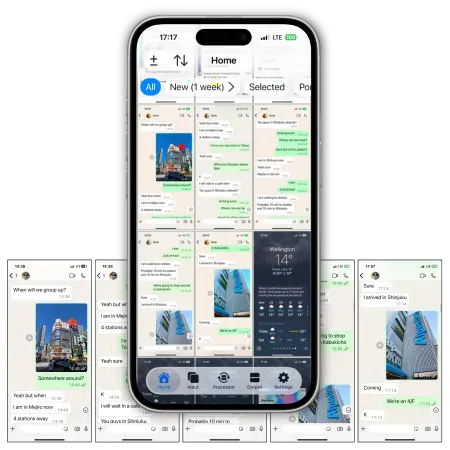
Select screenshots on Breezyone
If the screenshots are in the right content order, edit them as you need or stitch them straight away. If not, arrange them and keep going.
-
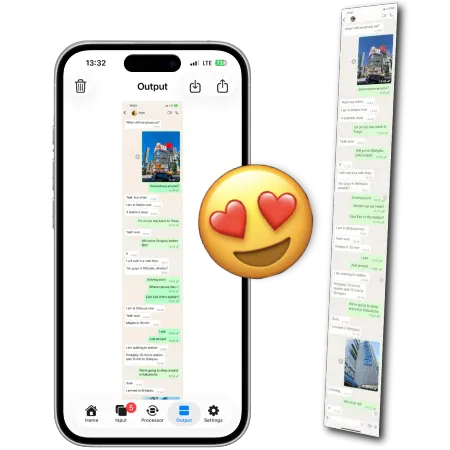
Stitch the images swiftly, precisely, and safely
Take a quick ad break and get the full image for free.
Share it instantly!
Watch these short videos to learn more.
Introduction to the App
(28 sec)
Taking Screenshots for Breezyone
(20 sec)
Please refer to the User Guide for more details.
Features
These ever-evolving features reach new heights.
New Automatically Stitch Any Content
Breezyone stitches screenshots by spotting where the images overlap and then putting them together in the right spot. It excels in finding overlaps between screenshots, whether you scroll them up and down, left and right, reverse, or even free-scroll to stitch everything together!
It handles most situations fully automatically once users check the lineup. Now, you need just this app to take long screenshots easily.
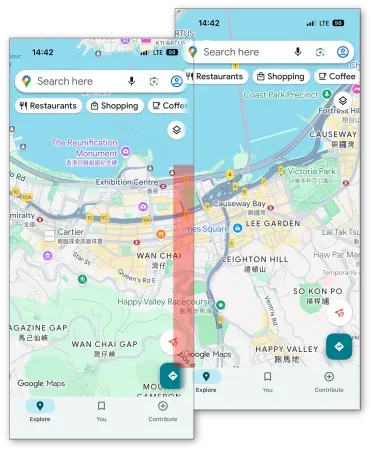
Handling Complex Visual Effects
This app is smart and can automatically put together screenshots with different complex visual effects, like changing backgrounds, animations and layers.
It is made to work with all sorts of apps and images, no matter what.


Image Touch-ups
This app can easily crop images and adjust their alignments, which is great for fixing up and combining screenshots of non-continuous content like thumbnails, extracts, and carousels that don't line up.
Plus, it can help with some tricky situations where screenshots with only tiny overlaps can now be automatically stitched together.
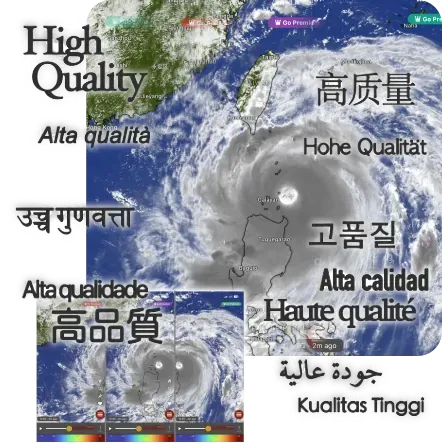
Outstanding Quality
Each image is seamlessly aligned down to the exact pixel, and the final result can match your original screenshots down to the last detail (metadata). To ensure that image quality stays top-notch, there won't be any ads included in a stitched image.
The Apple Retina display has such a high pixel density that it is almost impossible to tell the difference by eye, which is why Breezyone chooses to stitch automatically — manual alignment simply falls short!
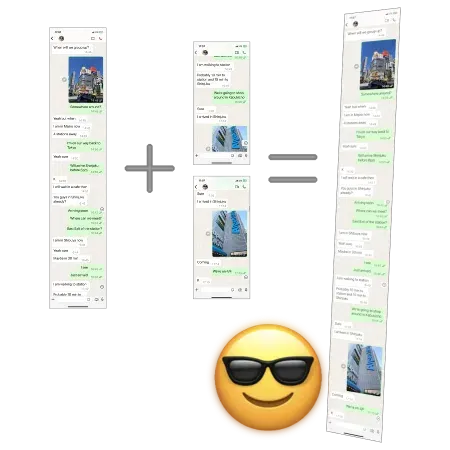
Long Screenshot + New Screenshots = New Long Screenshot
Given the high image quality, a long screenshot can stitch together new content, such as new conversations or feeds, into a new long screenshot.
So, you won't have to keep your photo library full of old, broken screenshots anymore.
Looking for a better screenshot app?
See how Breezyone stacks up against traditional apps.User Privacy
User protection matters.
Breezyone protects everyone with the following safety measures.
This app ensures that image data and metadata never leave a local device, hence no one can infer the work done.
On-device processing
Processes users' image data directly on local iPhones and iPads, ensuring personal data stays private and local.
Minimal data collection
Collects zero image data and metadata, and only the least amount of user data for advertising.
Staying anonymous
Abstains from tracking users' identities and activities (including advertising) to ensure that users remain anonymous.
Please refer to the User Agreement and Privacy Statement of the App for more details.
Make long screenshots in seconds.
Bring your captures together effortlessly. Ready to try it?
-
Works with iPhone and iPad
- By turning the screen of iPhone sideways, Google Maps can present more content in landscape mode to make wide output images.
- The screenshots were snapped as the content was scrolled freely along the horizontal axis. Note that the stitched image isn't regular as there are slight up and down along the top and bottom edge.